Skip to content

Auto-Close Comments, Pingbacks and Trackbacks

Overview:

Automatically close comments, pingbacks and trackbacks on your blog. This helps reduce the amount of spam aimed at old posts.

Features:

  • Can be configured via WP-Admin
  • Choose to run it automatically or manually
  • Delete comments separately from pingbacks and trackbacks
  • Choose to leave comments and/or pingbacks & trackbacks open on certain posts
  • Delete post revisions

Requirements:

Installing

  1. Download Auto-Close Comments, Pingbacks and Trackbacks.
  2. Extract the contents of autoclose.zip to wp-content/plugins/ folder. You should get a folder called autoclose.
  3. Activate the Plugin in WP-Admin.
  4. Goto Options > Auto-Close to configure.

Options:

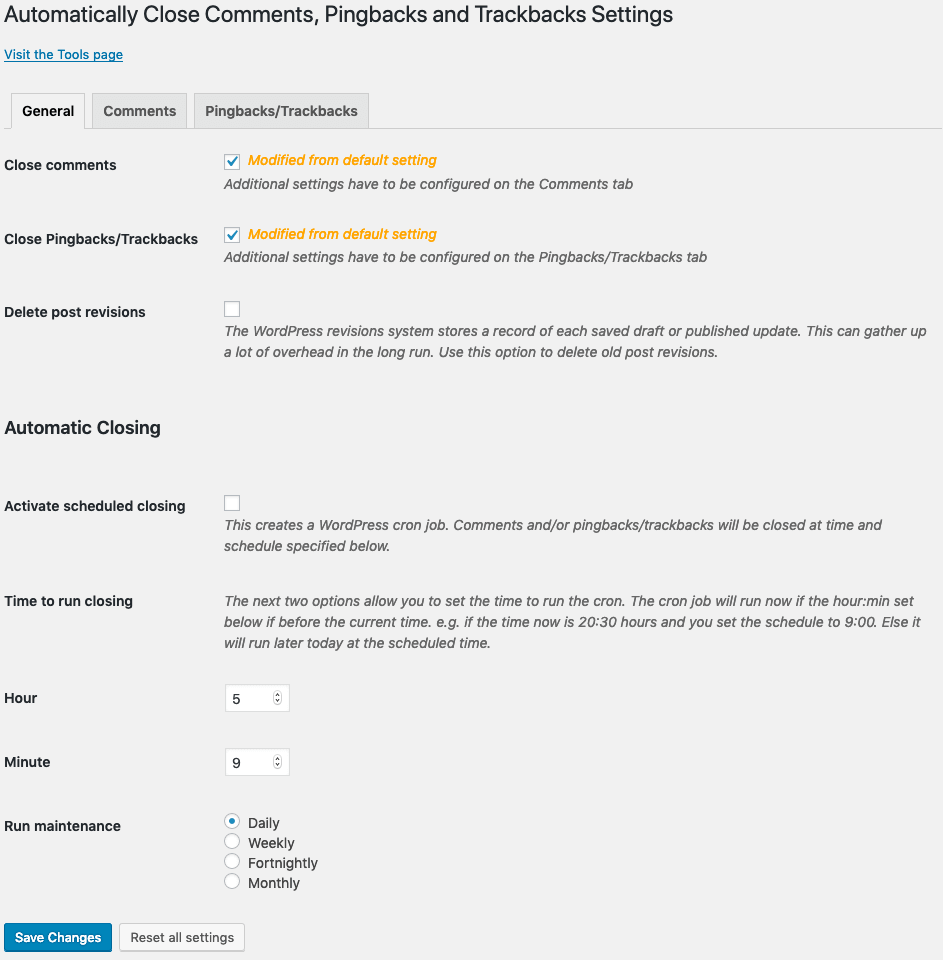
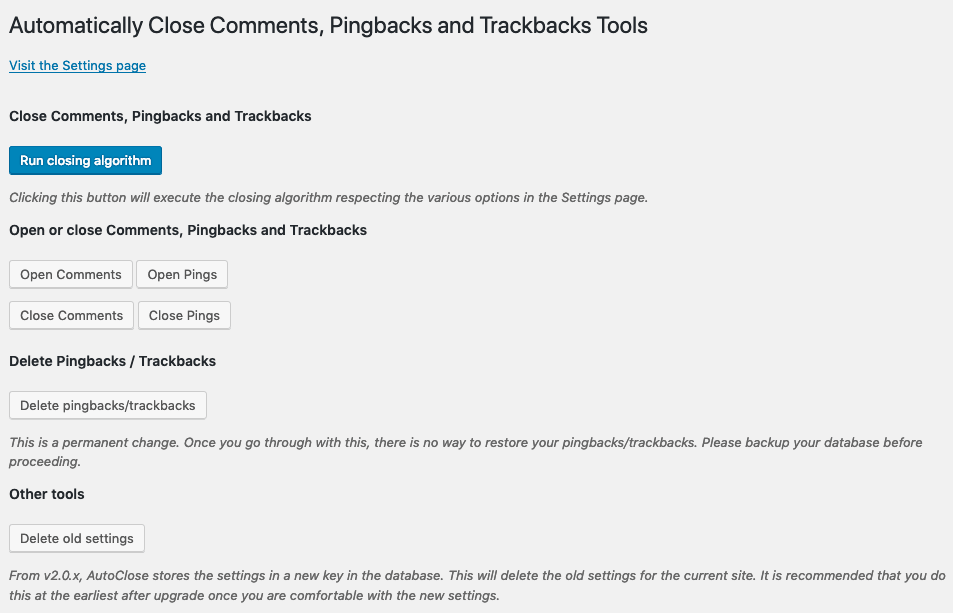
The below screenshot shows the options. You can customize if you want to close comments and/or pingbacks & trackbacks. You can also choose to run it manually or setup a schedule.

Auto-Close Options

By default, all options are disabled.

ChangeLog:

  • 1.3.1 – Now separately choose to close on posts and pages. Also added buttons to open all comments and open all pings
  • 1.2 – Added option to delete post revisions. Minor bug fix. Includes plugin uninstaller.
  • 1.1 – Added option to keep comments / pingbacks / trackbacks on certain posts open
  • 1.0 – Release

To Do:

  • Keep posts open by category

Downloads

Current Version is 1.3.1

Writing and testing plugins takes a good amount of time. If you like the plugin and find it useful and would like to donate something for my work please do click the Paypal Donate button below. The payment is secure. I haven’t filled in any amount. Feel free to donate what you please. Any amount is welcome. Thank you :)

License

All files and their contents are licensed under the GNU General Public License (GPL).

Questions or Bugs

Known Bugs

If you have any questions or would like to report any bugs then please use the support forum.

Download Auto-Close v1.3.1

15 Comments

Leave a comment
  1. nimue / Sep 9 2008

    I am waiting for the Ability to keep certain posts open, because my guestbook works with comments :-( , and i did not found any solution yet.

  2. kamal / Sep 11 2008

    Great plugin, it save time to do custom template…
    as Nimue, if there any ability to check the post we want to close, it will be more amazing and perfect.
    Thanks for all.

  3. Navjot Singh / Sep 17 2008

    Cool Plugin by you there. But there should be option of excluding specific posts too. Also exclusion by category should also be there. Hope you implement it.

    And there should be a unclose comments option too.

    Pls consider these as future version feature requests.

    Regards
    Navjot Singh

  4. Ajay / Sep 17 2008

    I’ll be putting in the exclusion feature. My plan is to use that for unclose as well.

  5. Ajay / Sep 18 2008

    I’ve updated the plugin.

    v1.1 now has the ability to keep certain posts open

  6. Halina / Sep 19 2008

    I’m in the process of creating 3 new blogs and closing 3 old ones, 400+ posts or so all together. Your plugin made it so easy to prevent future comments/pingbacks/trackbacks with a few clicks, while retaining the content as such for those who want to read it.

    Thanks a lot!

  7. Joe Hayes / Sep 23 2008

    I use this, and love it. Thanks.

  8. aLee / Dec 7 2008

    Heyy.. that’s really helpful in fighting spammers!
    Thanks a lot for that.

  9. Hugh Hinton / Dec 8 2008

    This solution is good for news-type blogs because news is history in a couple of days, but for niche blogs the plugin should offer a possibility to leave comments open for separate posts.

Trackbacks and Pingbacks

  1. WordPress Plugin Releases for 09/09 »   Weblog Tools Collection » Blog Archive
  2. WordPress Plugin Releases for 09/09 | Wordpress Blog NL
  3. Leonaut.com
  4. Three New WordPress Plugins (WordPress Wednesday) » Techtites
  5. Auto-Close Comments, Pingbacks and Trackbacks Updated to 1.1 » Ajay - On the Road called Life!
  6. WordPress Plugin Releases for 09/18 »   Weblog Tools Collection » Blog Archive

Leave a comment